Zenbot
Zenbot
What is Zenbot
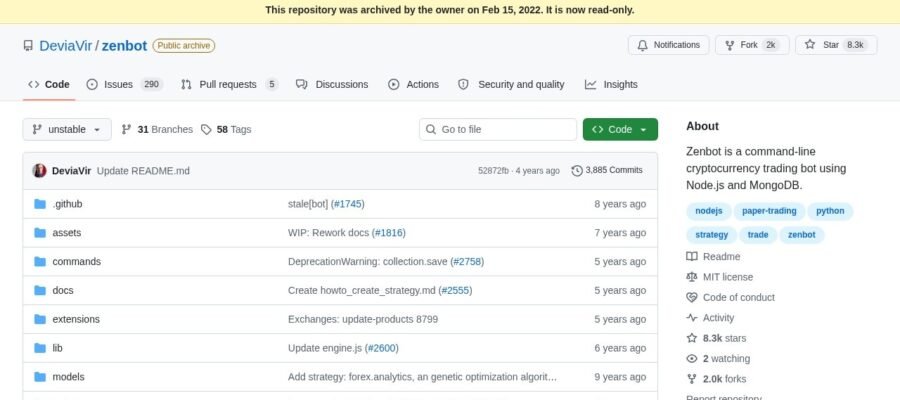
Zenbot is a free and open source crypto trading bot. It helps you trade cryptocurrencies automatically on major exchanges. This means you can set it up to buy and sell coins for you based on rules you define. It runs on your own computer or a server. This gives you full control over your trading. It is designed to be simple to use but also powerful.
How Zenbot Works
Zenbot uses technical analysis to make trading decisions. It looks at things like price movements, trading volume, and other indicators. You can configure Zenbot with different trading strategies. These strategies tell the bot when to buy and when to sell. For example, a strategy might tell Zenbot to buy when a price goes up by a certain amount and sell when it goes down. It connects to your exchange account using API keys. These keys allow Zenbot to place trades without you needing to be online all the time.
Main Features
- Automated Trading: Let Zenbot trade for you 24/7.
- Open Source: It is free to use and you can see the code.
- Customizable Strategies: You can create or use many different trading strategies.
- Exchange Support: Works with popular crypto exchanges like Binance, Coinbase Pro, and others.
- Runs Locally: You control where it runs, giving you privacy and security.
- Data Analysis: Zenbot collects data to help you understand trading performance.
Who is Zenbot For
Zenbot is for people who want to automate their cryptocurrency trading. This includes both beginners and experienced traders. If you are new to crypto trading, Zenbot can help you learn by watching it trade. If you are an experienced trader, you can use Zenbot to execute your complex trading plans without constant manual effort. It is also good for people who want to trade but do not have a lot of time to watch the markets.
Getting Started with Zenbot
To start with Zenbot, you need a computer or a server. You will also need to install Node.js. Then, you can download Zenbot from its GitHub page. You will need to set up your exchange API keys and configure Zenbot with your chosen trading strategy. There are guides available to help you through the setup process. It is important to start with small amounts of money when you are first testing your strategies.
Payments and Costs
Zenbot itself is completely free to download and use. There are no subscription fees or charges for the software. The only costs you will have are related to your cryptocurrency trading on the exchange. Exchanges typically charge small trading fees for each buy and sell order. You also need to consider the cost of running a server if you choose to use one instead of your own computer.