Online-Convert.com
Online-Convert.com
Online-Convert.com: Your Go-To for Free File Conversions
Online-Convert.com is a fantastic website that helps you change files from one type to another. It’s completely free to use and very easy to understand. If you ever need to turn a PDF into a Word document, an MP4 video into an MP3 audio file, or even a JPG image into a PNG, this site can do it.
What It Does
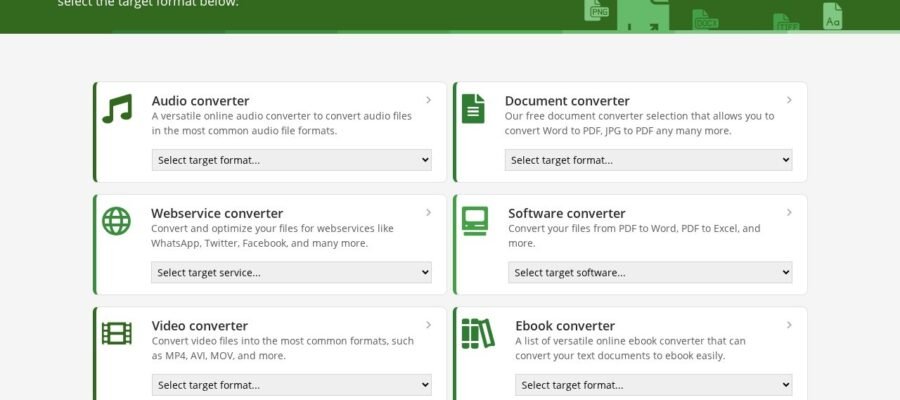
This website is all about file conversion. It supports a huge number of file types. You can convert documents, images, audio files, video files, and even things like e-books and archives. It’s like having a bunch of different tools in one place, all working to make your files usable in the way you need them.
Main Features
The main feature is the sheer number of conversion options. You can upload your file, pick the type you want it to become, and click convert. It’s that simple. The site also offers batch conversion, which means you can change many files at once. Some tools let you change settings for your converted files, like video quality or audio bitrates. They also have tools for editing files, like resizing images or cutting audio.
Who It Helps
Online-Convert.com is useful for almost everyone. Students can convert their notes or assignments. Professionals can change document formats for sharing. Content creators can prepare media files for different platforms. Anyone who deals with digital files will find this site helpful at some point. It saves you from needing to buy expensive software for simple conversion tasks.
How to Use It
Using the site is very straightforward. You go to the website, find the type of conversion you need (e.g., “Convert to PDF” or “Convert to MP3”). Then, you upload your file. After that, you choose your desired output format and click the “Convert” button. The website processes your file, and then you can download the converted version. It’s designed to be user friendly for people who aren’t tech experts.