Notepad++
Notepad++
What is Notepad++
Notepad++ is a free text editor and source code editor. It is a very popular program for people who write and edit computer code. It is also useful for anyone who needs to edit plain text files. It runs on Windows operating systems. The website notepad plus plus dot org is the official place to get this tool.
Main Features
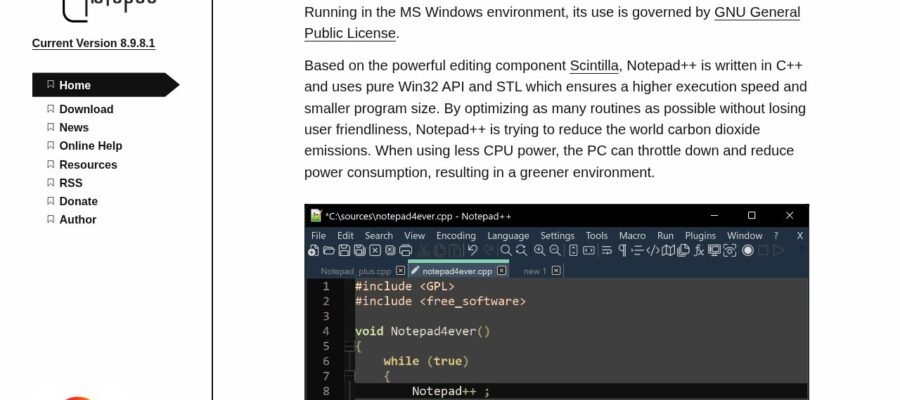
Notepad++ has many helpful features. It allows for code highlighting, which makes code easier to read by showing different parts of the code in different colors. It supports tabbed editing, so you can open and work on many files at once in different tabs. It has a powerful find and replace function that can search through multiple files. It also has a plugin system, which means you can add extra features to make it do even more. It can auto complete words as you type, saving you time. It can also show line numbers, which is very useful for programmers.
Who it Helps
Notepad++ is great for programmers of all levels, from beginners to experts. Web developers, software engineers, and anyone who works with code will find it very useful. It is also a good choice for system administrators who need to edit configuration files. Even writers and students who need a simple but powerful text editor can benefit from using Notepad++. It is a free and open source tool, meaning it is developed by a community and is available to everyone without charge.
How to Get It
You can download Notepad++ for free from its official website, notepad plus plus dot org. Look for the download section on the site. They usually offer different versions, so choose the one that best fits your Windows computer. The installation process is straightforward and easy to follow.
Why Use Notepad++
The main reason to use Notepad++ is that it is free and very powerful. It offers many features that are usually found in paid text editors. It is fast, reliable, and has a large community that supports it. If you need a better way to edit text or code than the default Windows Notepad, Notepad++ is an excellent choice.