Online Markdown Editor
Online Markdown Editor
What it is
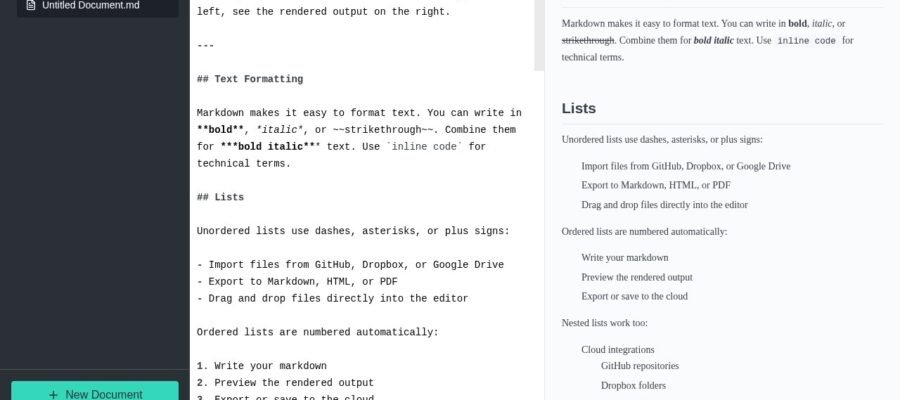
Online Markdown Editor, found at dillinger.io, is a super helpful website for anyone who writes in Markdown. Markdown is a simple way to format text using symbols. This tool lets you write and see your Markdown text change into a nicely formatted document right away. It’s like a notepad that instantly makes your writing look good.
Main Features
The main thing this site does is let you write and edit Markdown. You get two panels. On the left, you type your Markdown. On the right, you see what it will look like when it’s finished. You can save your work to your computer or sync it with cloud storage like Dropbox or Google Drive. It also has a full screen mode so you can focus on writing without distractions. You can even export your finished work as HTML or PDF files.
Who it Helps
This tool is great for students, writers, developers, and anyone who needs to create formatted text quickly and easily. If you write blog posts, documentation, notes, or even just want to make your emails look better, this site is for you. It’s perfect for people who don’t want to learn complicated formatting software.
How to Start
Starting is very easy. Just go to dillinger.io in your web browser. You can start typing right away. There’s no need to sign up for an account if you just want to write and save to your computer. If you want to use cloud storage or save your work online, you can connect your accounts.
Pricing
Online Markdown Editor is a completely free tool. You don’t have to pay anything to use all of its features. This makes it a very accessible option for everyone.